Optimize Web Engagement
with No-Code
Easily add tooltips and popups to your existing website with just a single line of JavaScript code.
Reduce user confusion, boost sales, and decrease support inquiries.
Easily add tooltips and popups to your existing website with just a single line of JavaScript code.
Reduce user confusion, boost sales, and decrease support inquiries.
Receiving the same questions repeatedly, overwhelming your support staff.
Increased customer support costs, impact on other tasks, and lower customer satisfaction.
Users are leaving your site, and conversion rates are not improving. Users abandon forms midway.
Lost sales opportunities, wasted marketing expenses, and loss of customers to competitors.
Existing solutions have complex features, high learning curves, and high costs, making them unsuitable for small to medium-sized businesses.
Hesitation in IT investment, delays in business efficiency, and a decline in competitiveness.
No need for coordination with engineers. Marketers and directors can add guides directly to the site.
No initial costs, no long-term contracts. Easy to try, with straightforward pricing and no strings attached.
Reduce user confusion and provide guidance at the right time to boost sales.
Resolve common questions with tooltips, significantly reducing the burden on support staff.
Start using immediately without a quote. Get started right away with a single line of JavaScript code.
Add guides to forms to prevent user confusion and abandonment. Perfect for LPO with rapid, deployment-free PDCA cycles.
Designed for small to medium-sized businesses with simple features, a low learning curve, and affordable pricing.
A wide variety of creative types to suit any situation.
Automatically displayed explanations when an element is focused. Guide users and prevent confusion or abandonment. (Can be used on any element, not just forms).
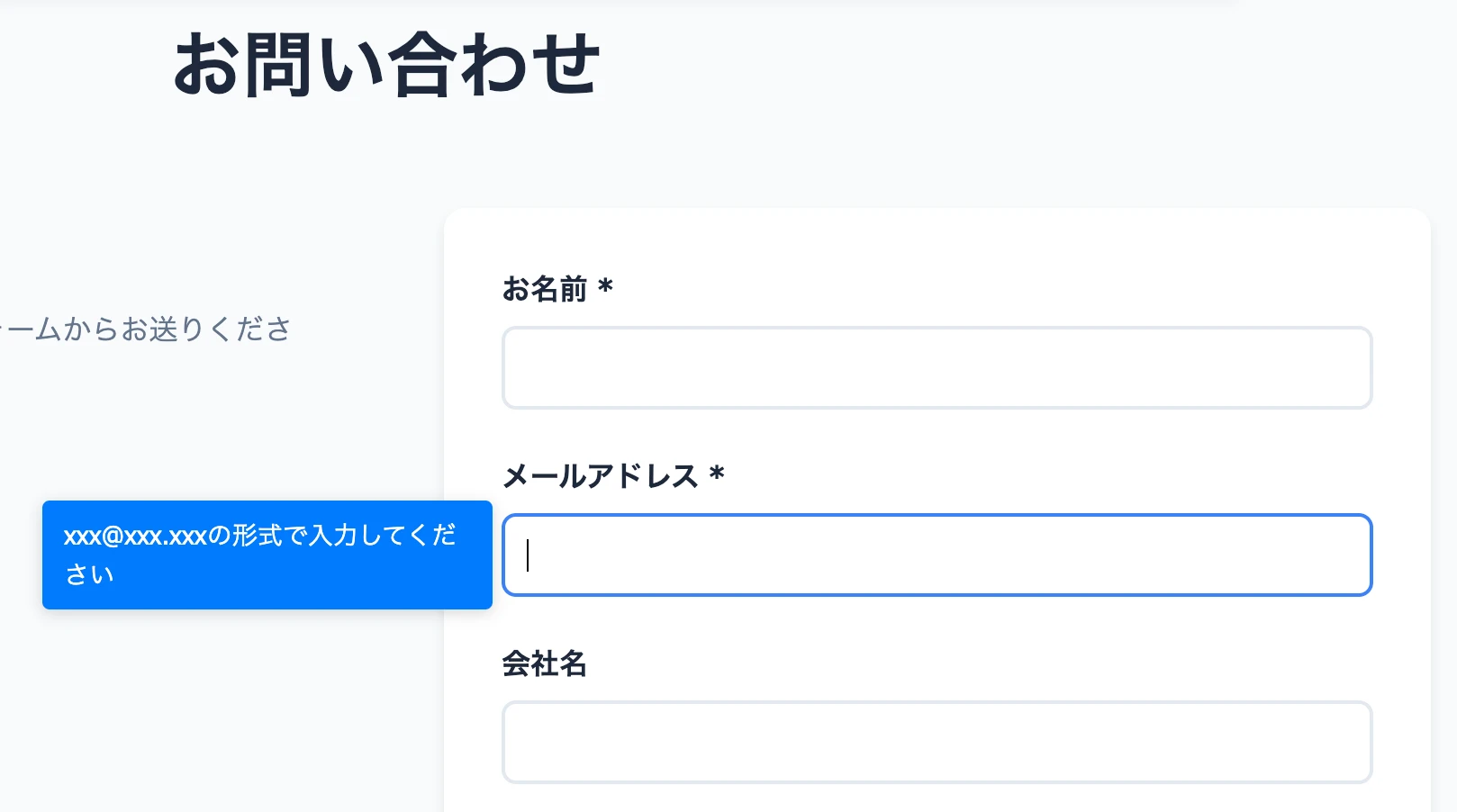
Detailed information or CTAs that appear on click. Highlight important information to improve conversion rates.

Fixed elements that stay on the screen. Always visible even when scrolling, perfect for preventing users from missing important announcements or CTAs.

Add new content anywhere on your site. Flexibly place new features or additional information without modifying your existing site.
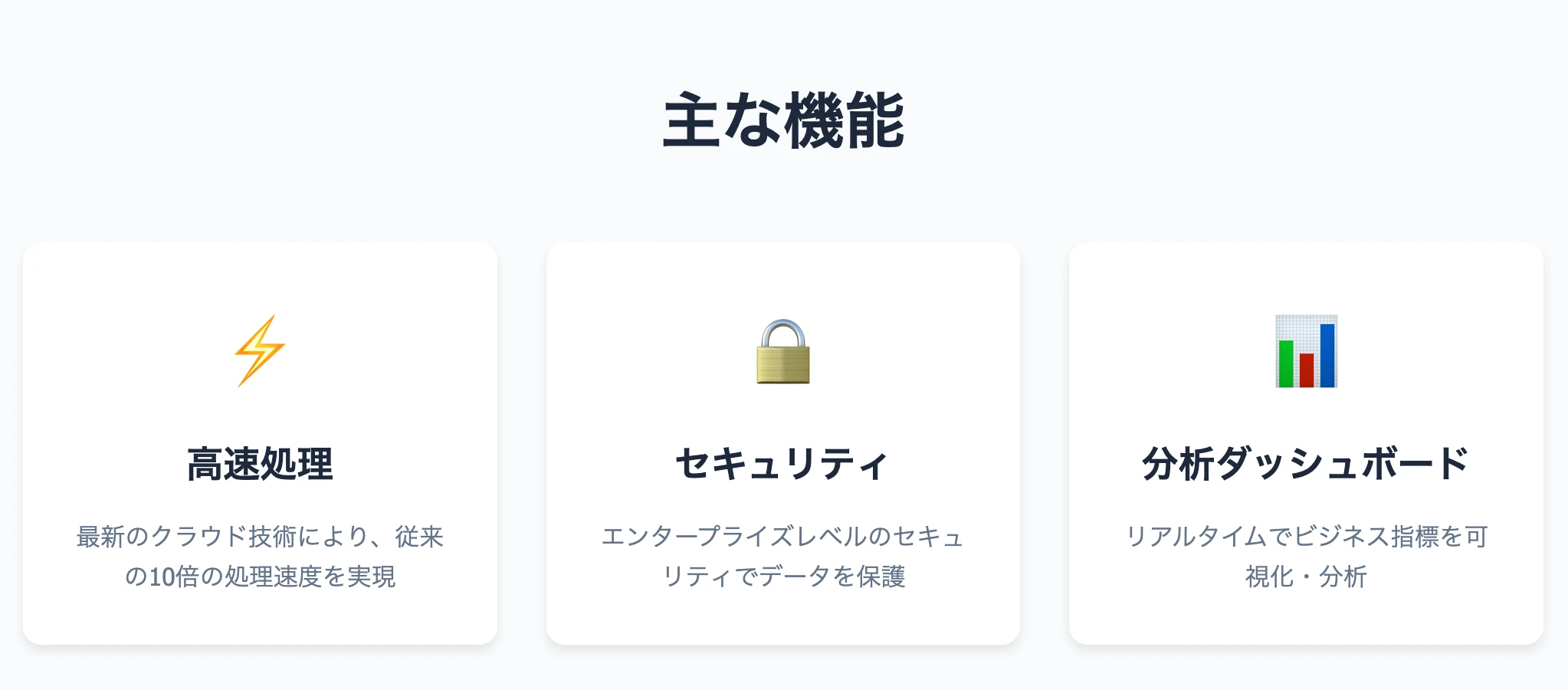
Dynamically replace existing text. Easily update content for seasons or campaigns.
Dynamically replace existing images. Easily update visuals for seasons or campaigns.
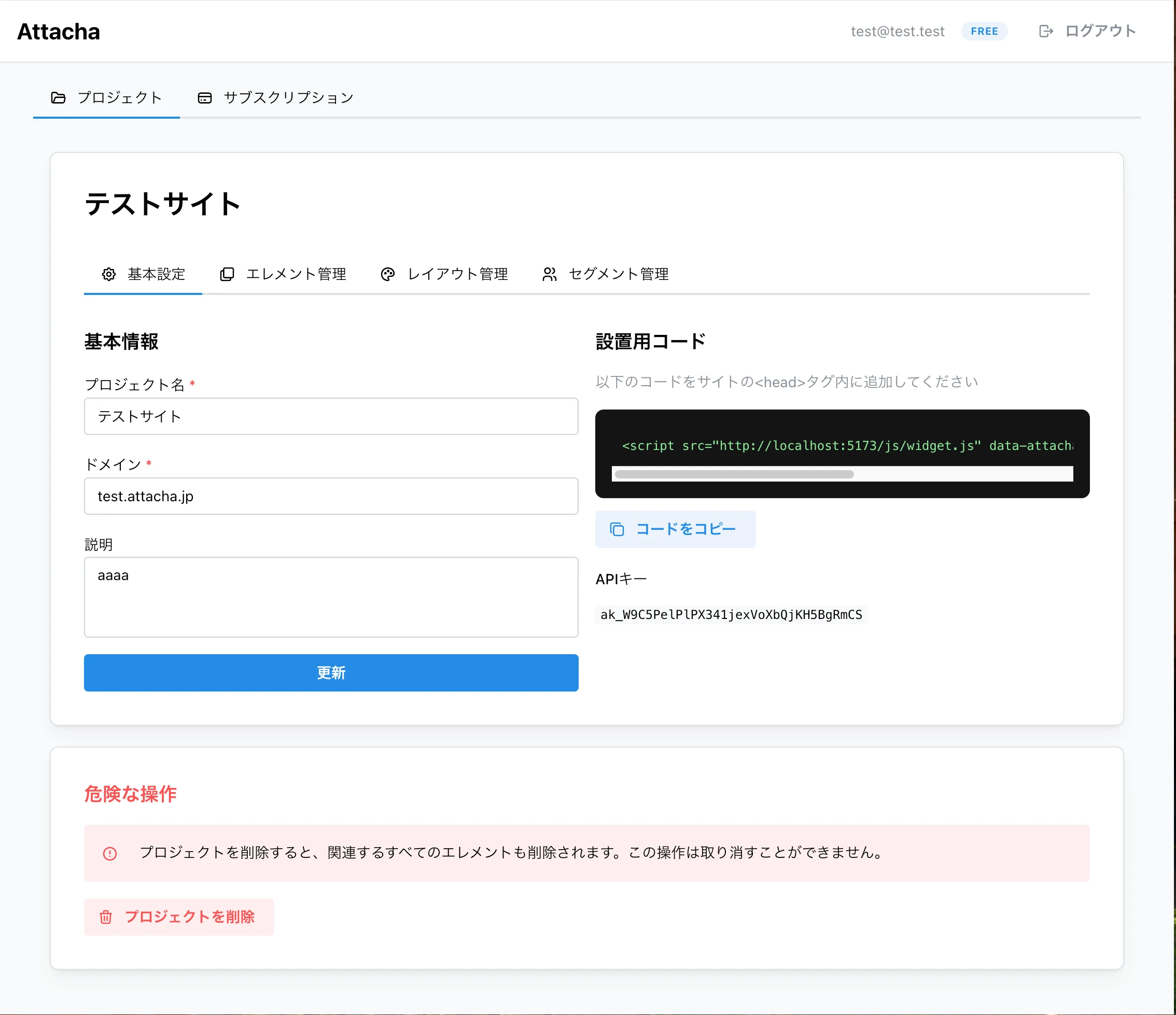
An intuitive and simple-to-use admin dashboard is provided.
Visually select elements just like using developer tools while viewing your actual website. Create layouts with drag & drop.
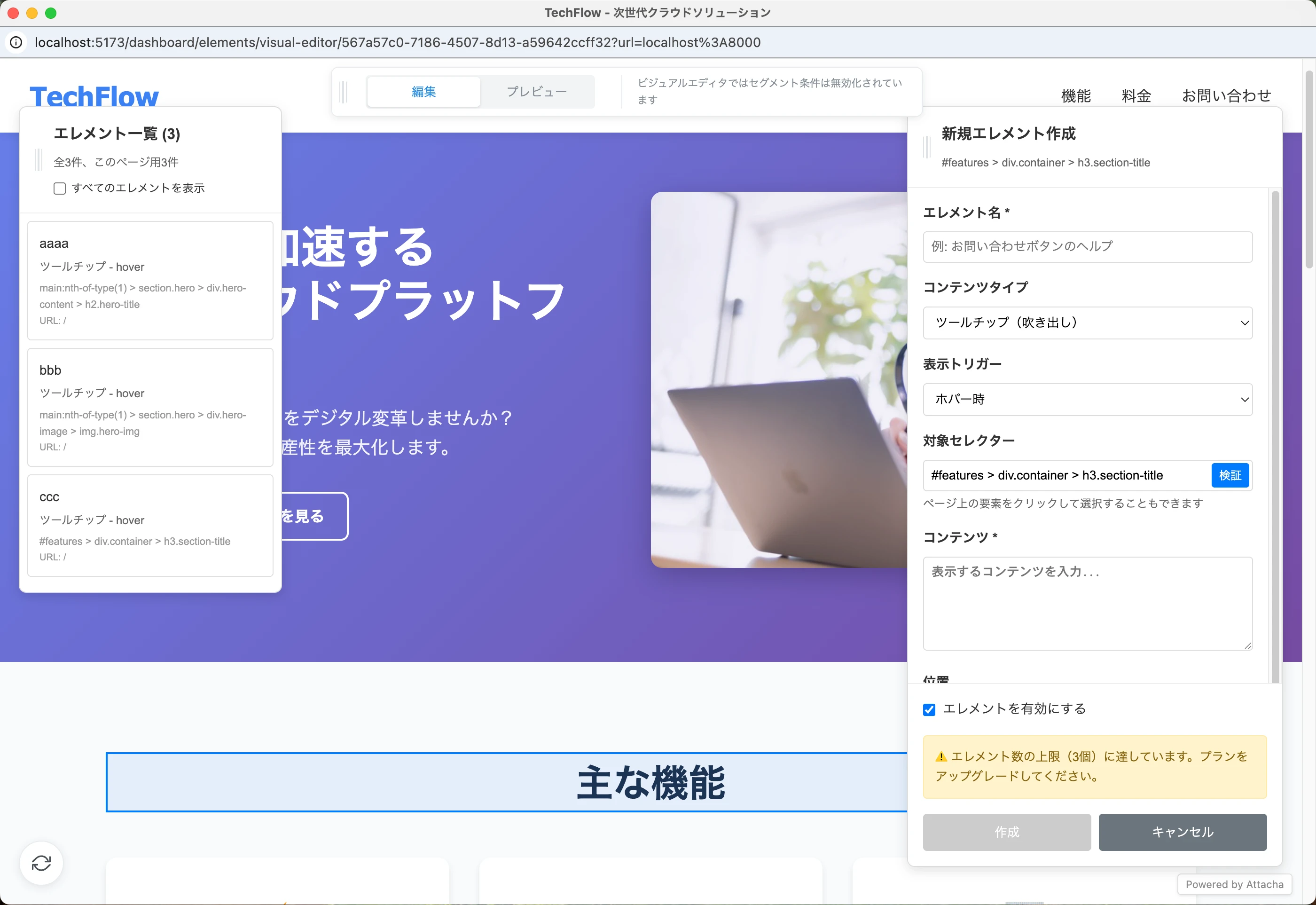
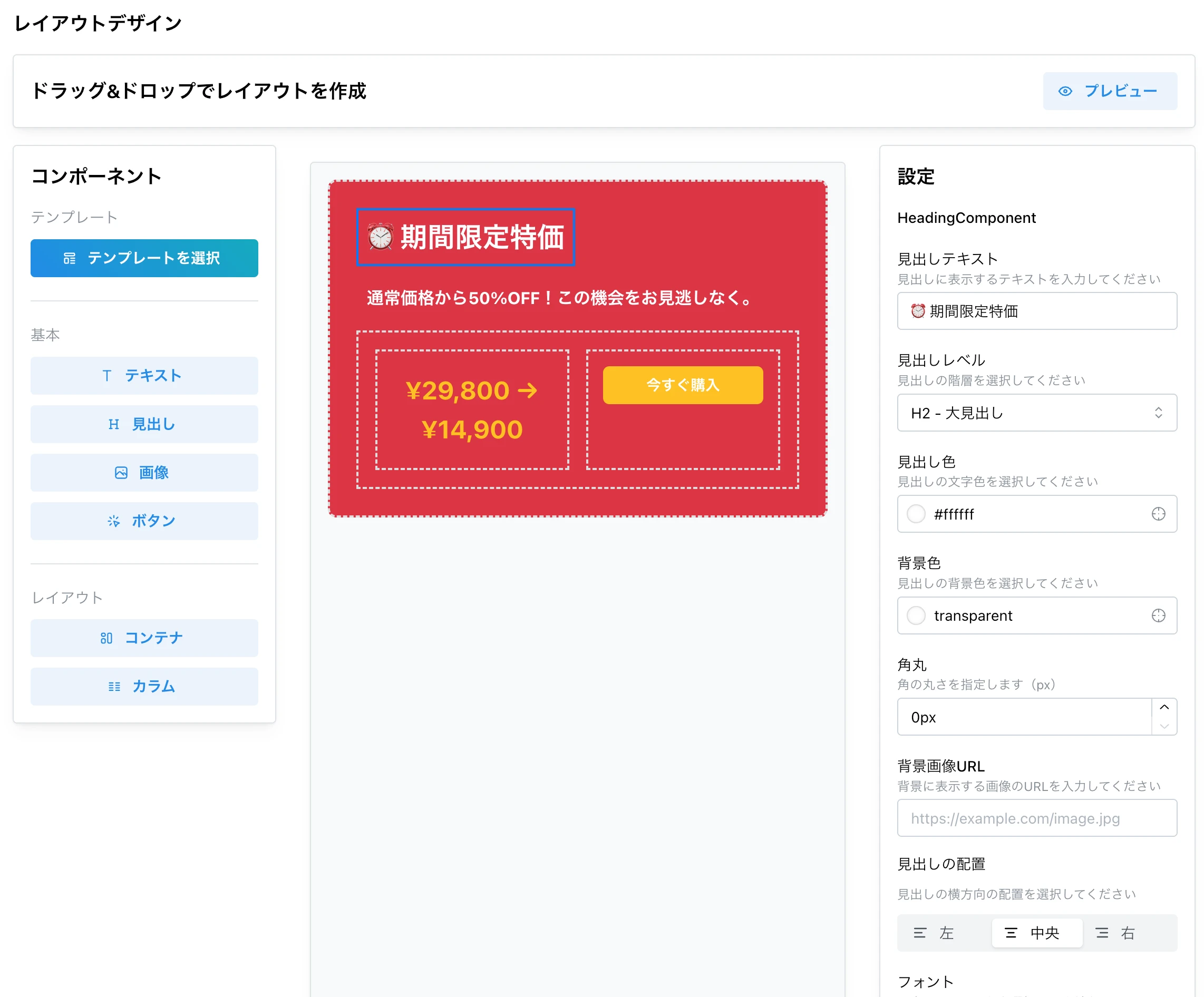
Create beautiful layouts with drag & drop, no HTML or CSS knowledge required. Easily achieve professional designs with a rich component library.
Place various elements like buttons, text, images, and forms.
Layouts automatically adapt to PC, tablet, and smartphone screens.
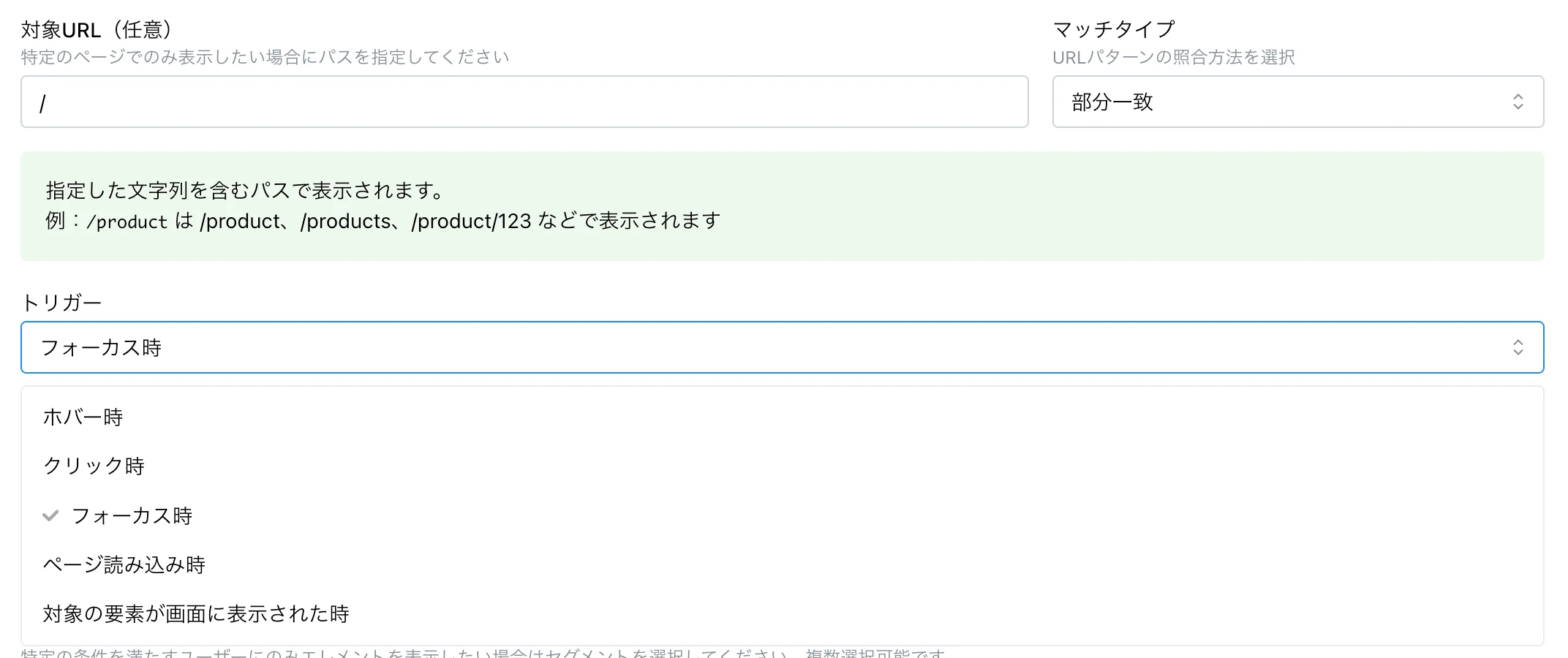
Tooltips and popups can be displayed based on various user actions. Provide guidance at the right moment to enhance the user experience.
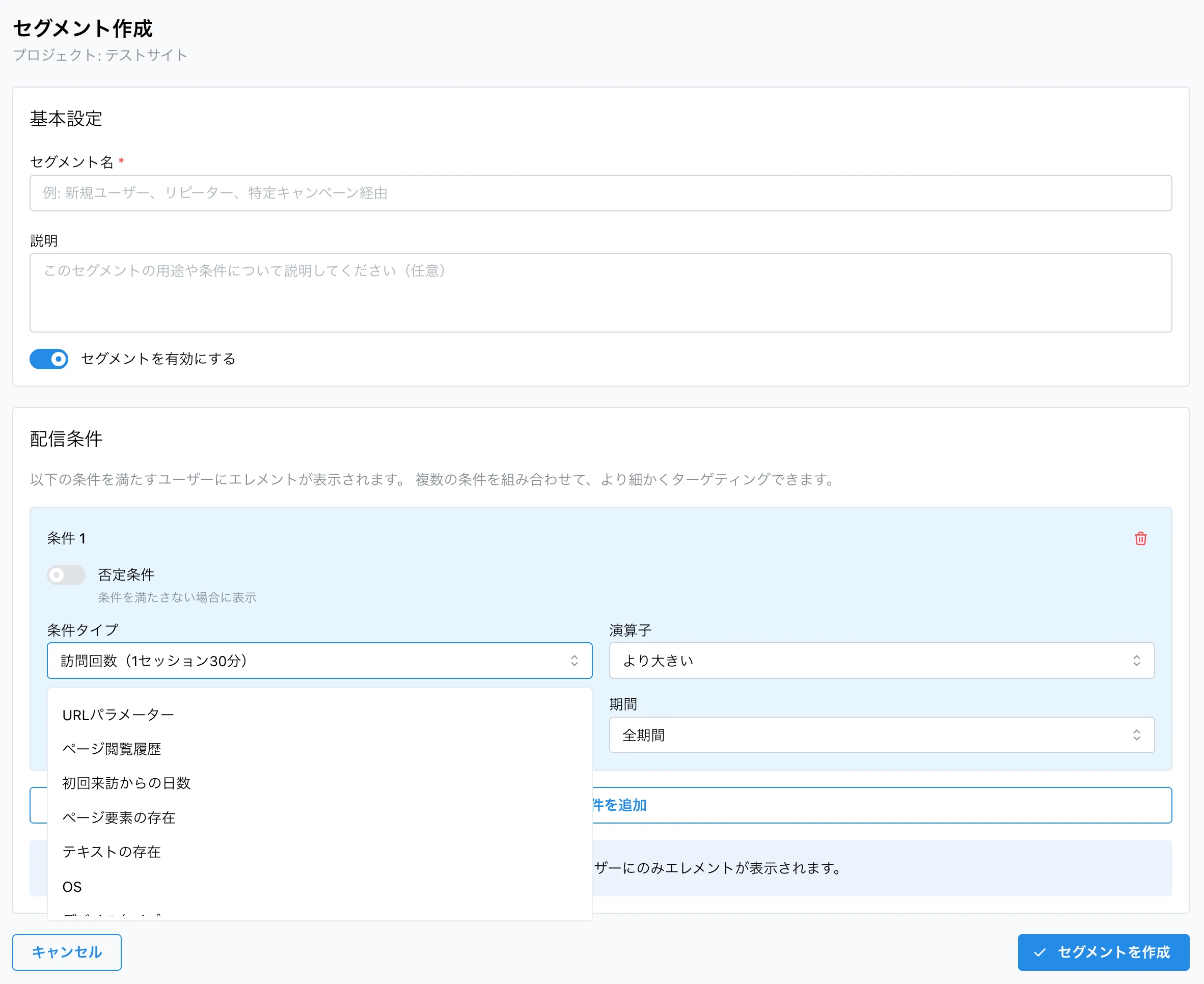
Add-on Plan
Finely tune your target audience to deliver a personalized experience. Effective targeting is possible with the segment feature.
Control delivery based on various conditions like URL, device, and visit count.
Ideal for detailed performance measurement and A/B testing by segment.
We offer affordable pricing plans that small businesses can start with ease.
You can change your plan at any time to match your business growth.
Immediate change + pro-rated billing
New features are available immediately after the plan change, and the difference is billed on a pro-rata basis.
Change effective from next renewal
The current billing period continues, and the new plan will be applied from the next renewal date.
No long-term contracts - You can cancel at any time, so you can try it with peace of mind.
Optional features that can be added to your basic plan.
Finely tune your target audience to deliver a personalized experience.
Free during the beta period.
You can use it now for free with a regular plan without any extra procedures.